> ## Documentation Index
> Fetch the complete documentation index at: https://docs.finetunedb.com/llms.txt
> Use this file to discover all available pages before exploring further.

# Logging Requests

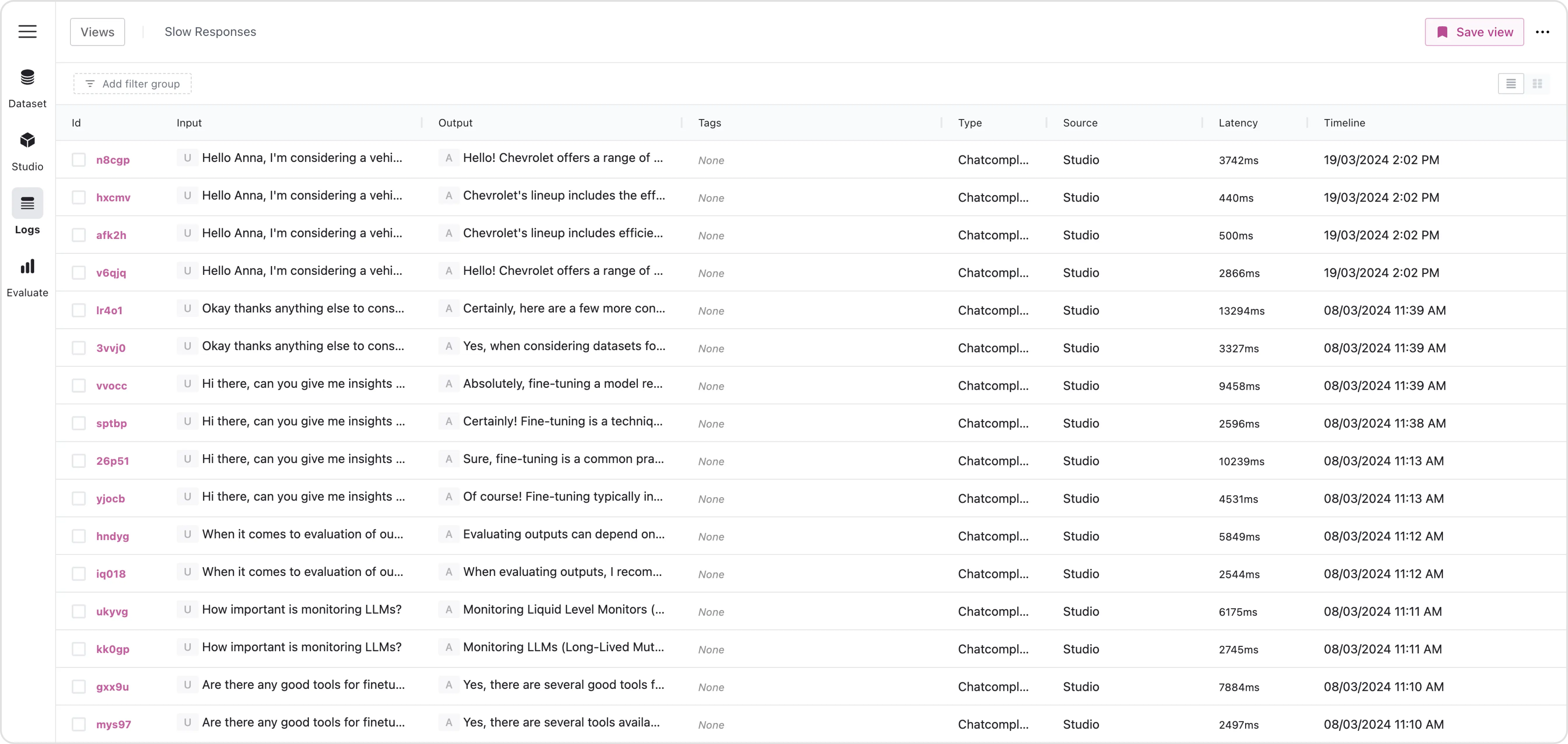
> The Log Viewer enables tracking, monitoring, analysis of production logs, and building fine-tuning datasets from production data.

<img className="block dark:hidden" src="https://mintcdn.com/finetunedb/bemL8Zj00kYdZwsp/images/logs-plain.webp?fit=max&auto=format&n=bemL8Zj00kYdZwsp&q=85&s=2ae41f63af56d284e9a608467dcfb8a0" alt="Hero Light" width="5376" height="2550" data-path="images/logs-plain.webp" />

<img className="hidden dark:block" src="https://mintcdn.com/finetunedb/bemL8Zj00kYdZwsp/images/logs-plain.webp?fit=max&auto=format&n=bemL8Zj00kYdZwsp&q=85&s=2ae41f63af56d284e9a608467dcfb8a0" alt="Hero Dark" width="5376" height="2550" data-path="images/logs-plain.webp" />

## Start Tracking Logs

Download and integrate the FinetuneDB SDK into your application, following the setup instructions for your specific environment, and configure it using your new API key to start sending data to your workspace.

With the SDK configured, your application will automatically begin sending data to FinetuneDB, without intercepting your production pipeline.

<CardGroup cols={2}>
  <Card title="Integration" icon="code" href="/logging-data/node-js-sdk">
    Start tracking production data by quickly integrating FinetuneDB.
  </Card>
</CardGroup>

<br />

<iframe width="560" height="315" src="https://www.youtube.com/embed/7XCuA0c4HnM" title="Logs" frameborder="0" allow="accelerometer; autoplay; clipboard-write; encrypted-media; gyroscope; picture-in-picture" allowfullscreen />
